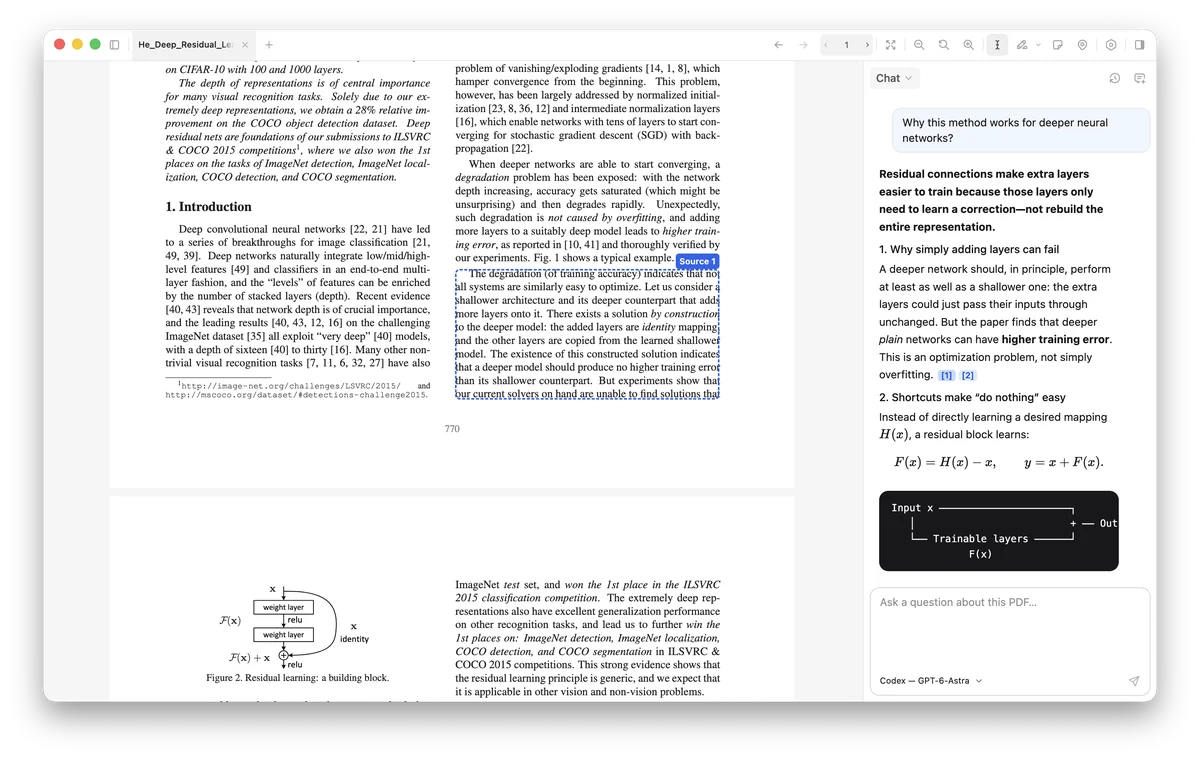
Feature illustrations show example content and workflows.
How document chat works.
Your PDF file stays on your device. Your chosen AI answers online using relevant passages, your question,
attached selections, and recent chat context.
Yes. Open PDFs, search, highlight, and write notes without a provider connection or model downloads. Chat has a
separate, optional setup.
Do I need to install Python?
No. Platypus manages the Python runtime and models through Settings → AI chat. You will need an eligible
device, disk space, and an internet connection for the initial downloads.
Check the requirements.
Which AI accounts work?
Platypus connects to the Codex and Claude Code command-line tools installed on your device. Each tool needs its
own working sign-in and provider access. Requests use that provider’s allowance. API-key connections and other
providers are planned.
Can I rely on every answer?
Answers can be wrong, and a citation can point to text that does not support the exact claim. Table-cell
retrieval is currently unavailable. Always inspect the source.
Read the known limitations.
Can I take my notes outside Platypus?
Yes. Settings → Saved data saves highlights, notes, and chats as Markdown or JSON, even when an original PDF is
missing. Exports are readable files; Platypus cannot import them to restore the app. Back up your profile and
PDFs separately. Read the export and backup guide.